Know who holds the keys, before they leave.
The domain, the club email, the Facebook page, the bank logins. Who holds the passwords? Bowlsy keeps one register of every online account the club depends on — whose name it's in, who can get in, and where the passwords are kept — and tells you plainly what needs fixing. It never stores a single one.

Committees change every year or two. The accounts don't.
The domain was registered by whoever built the first website. The Facebook page belongs to one person's profile. The bank login is in the treasurer's head, the recovery email is a personal Gmail, and the subscription is on a card that closed two treasurers ago. None of it is a problem — until the person moves away, falls out with the club, or simply isn't reachable.
A register turns that into a list you can read, fix and hand over.
One score, and the list that moves it.
Open the register and it answers the only question that matters: is the club safe? A health score out of 100, split into what's in good shape, what's worth a look and what needs a decision.
Under it, Fix these first lists each account's worst problem in plain English — "It is in Mary Jones's name, not the club's" — with one button that takes you to the exact field to change.
- Critical accounts count for more than a Canva login, so the score means something.
- One open door can't be averaged away: an account with a serious problem never reads as "mostly fine".
- The categories that need you most come first, each with its own health bar.

Six questions about every account.
You answer them in plain language when you add an account. Bowlsy does the judging — and keeps asking until they're answered well.
- 01Whose name is it in?The club, a person, or a supplier. Anything not held by the club is flagged as a handover risk.
- 02Who can get in?Two or more people means the club is never stuck. One person, or nobody recorded, is a problem.
- 03Is two-step sign-in on?The code sent to a phone. Off, or nobody knows, both get flagged.
- 04Where is the login kept?Only where — never the password itself. A club password manager beats one committee member's memory.
- 05Could the club get back in?If the key person disappeared, does recovery go to a club email — or to them?
- 06When was it last checked?Details go stale. Anything unchecked for a year is due for a look.


The domain that lapses quietly.
A lapsed domain can be bought by anyone, and an unpaid subscription switches off the thing the club forgot it relied on. Everything renewing in the next 90 days sits in one strip, with what it costs and how many days are left.
- Overdue ones are tinted red; anything due within a month, amber.
- Each tile opens the asset, so you can see who pays for it and change it.
- Dates and costs are entered once, in seconds, when the asset is added.
Five short questions. No manual.
Adding an account walks you through it one plain-language question at a time — big choices to tap, not a page of dropdowns. It's fine to say "I don't know"; the register will remind you to find out.
- A live health panel re-rates the account as you answer, so you see what each choice does.
- Add people with one tap from names already on the register.
- Save now, finish later stores the essentials; the rest can wait.


Once a year, one question.
The check walks through the register one account at a time, most important first, and asks: is all of this still correct? A tap for yes. A quick edit if something has changed. "Ask me later" if you need to find out.
- Stop whenever you like — your place is kept, so it doesn't have to be done in one sitting.
- Everything you confirm or change is stamped as checked, with who and when.
- At the end, you see what changed and how the register's health moved.
For the day the committee changes.
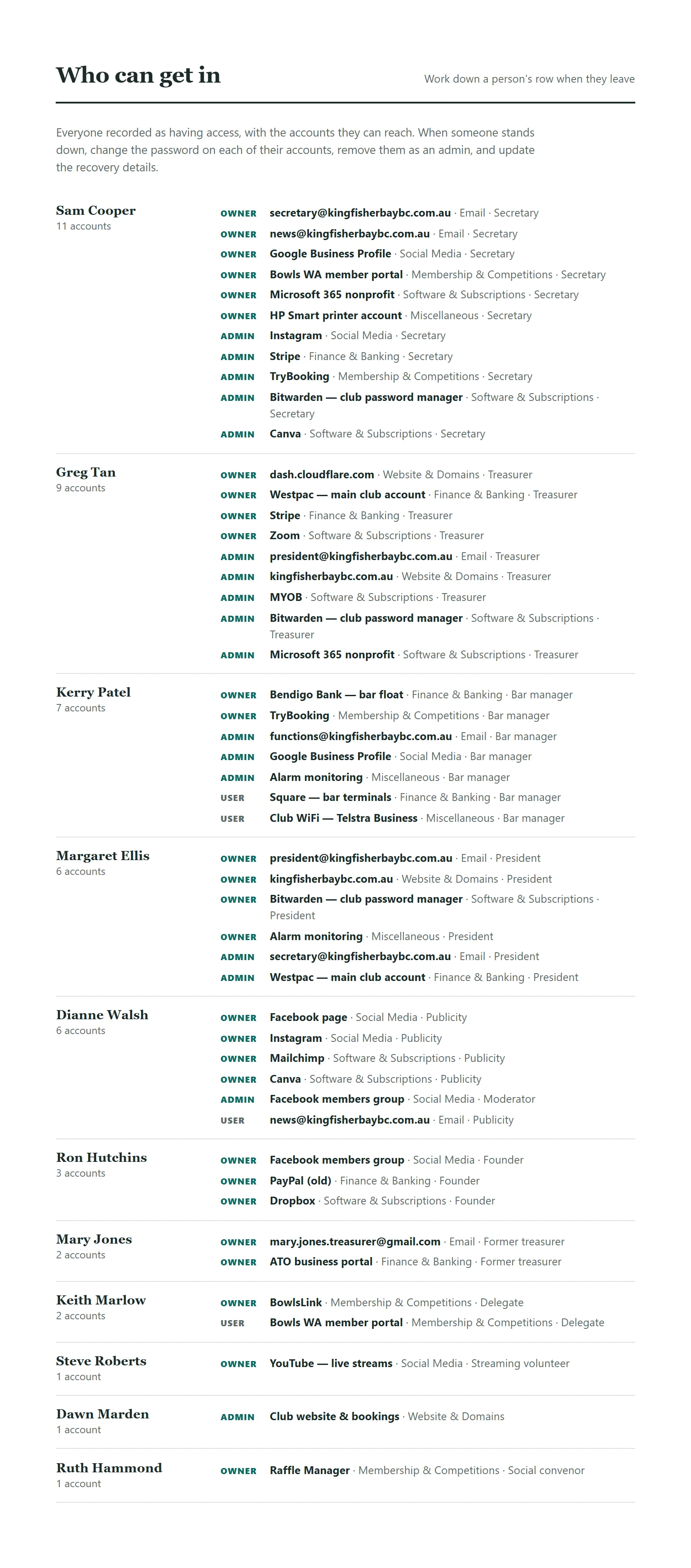
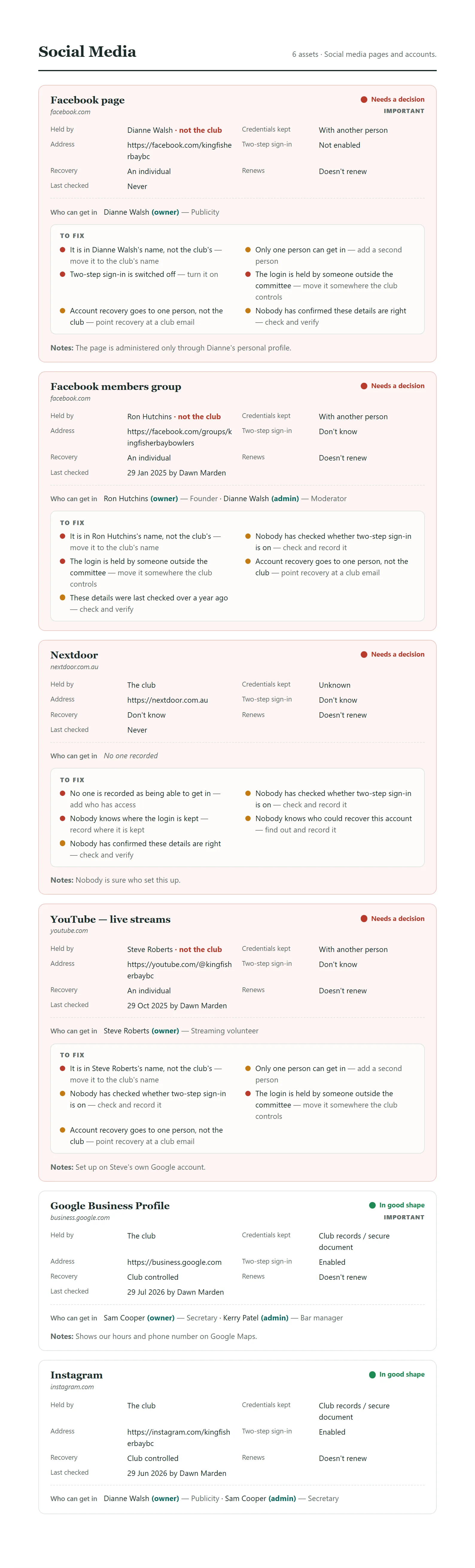
One button turns the whole register into a document to print or save as a PDF — the thing you put in the incoming secretary's hands instead of a treasure hunt.
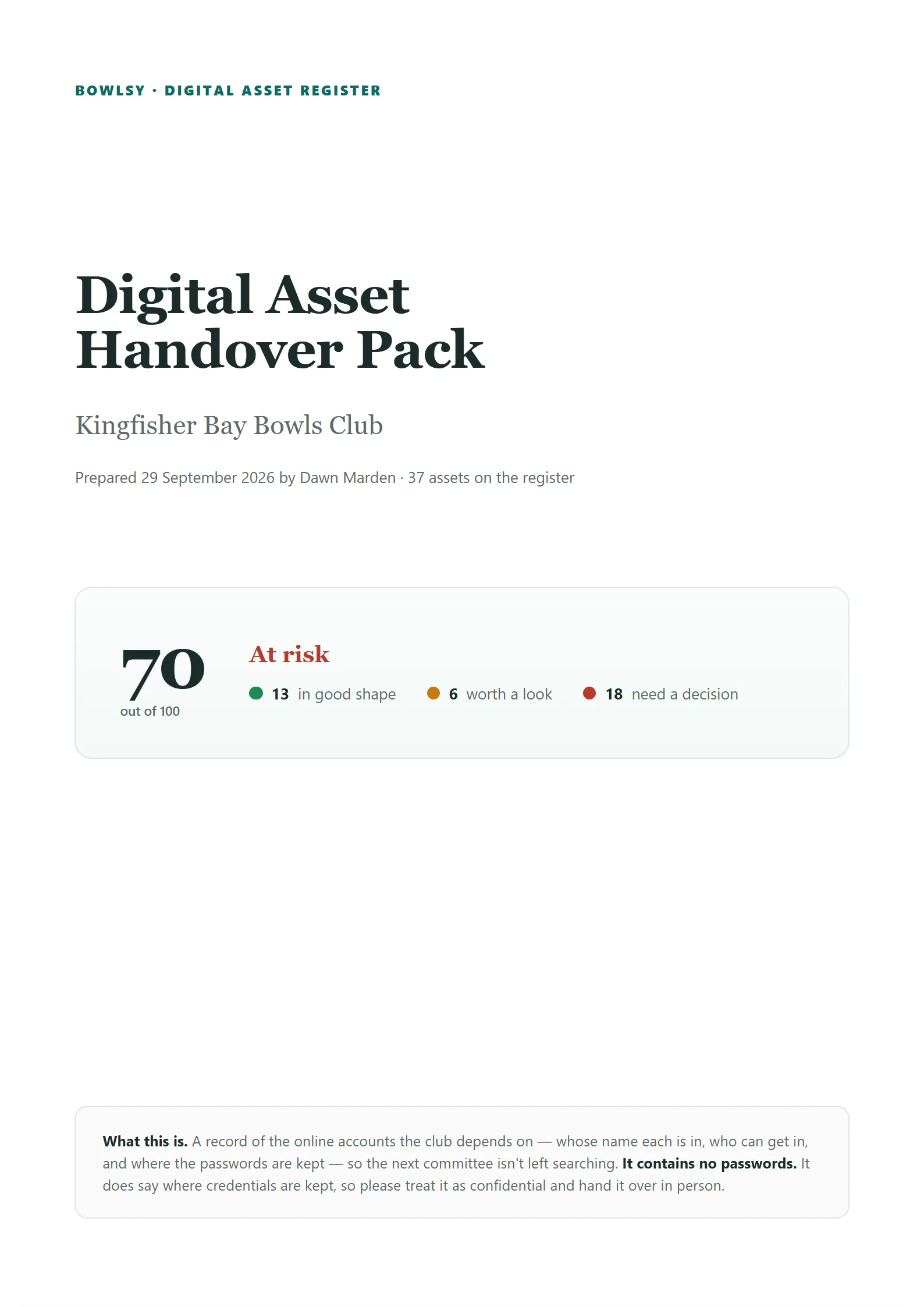
- Read this first — each account's worst problem and what to do, plus what renews in 90 days.
- Who can get in, by person — when someone stands down, work down their row: change the password, remove them, update recovery.
- Every account, by category, riskiest first, with every problem listed against it.
- A handover checklist and sign-off lines for the person handing over and the person receiving.
Nothing in here can log anyone in.
The register holds facts about your accounts, not the keys to them — so it can be shared with a whole committee and printed for the next one.

- ✓No passwords, ever.It records where a login is kept — "the red book in the office safe", "the club password manager" — never the password itself.
- ✓Written for a volunteer committee.Plain sentences, big buttons, and "I don't know" is always an allowed answer. Nobody needs to be technical.
- ✓Only the people you choose.Club admins have it by default. A contributor can be given the register as a job of their own, and it's off unless you switch it on.
- ✓Bowlsy is on the list too.The club's own Bowlsy account is an ordinary entry, judged by the same rules — its access list simply follows your Contributors page.
- ✓Seven categories, nothing to set up.Email, social media, website & domains, finance, membership systems, software and subscriptions, and everything else.
Give your next committee a head start.
- ✓ Add accounts one at a time — a minute or two each
- ✓ Health score, fix-it list and annual check built in
- ✓ Included with Bowlsy — no extra subscription